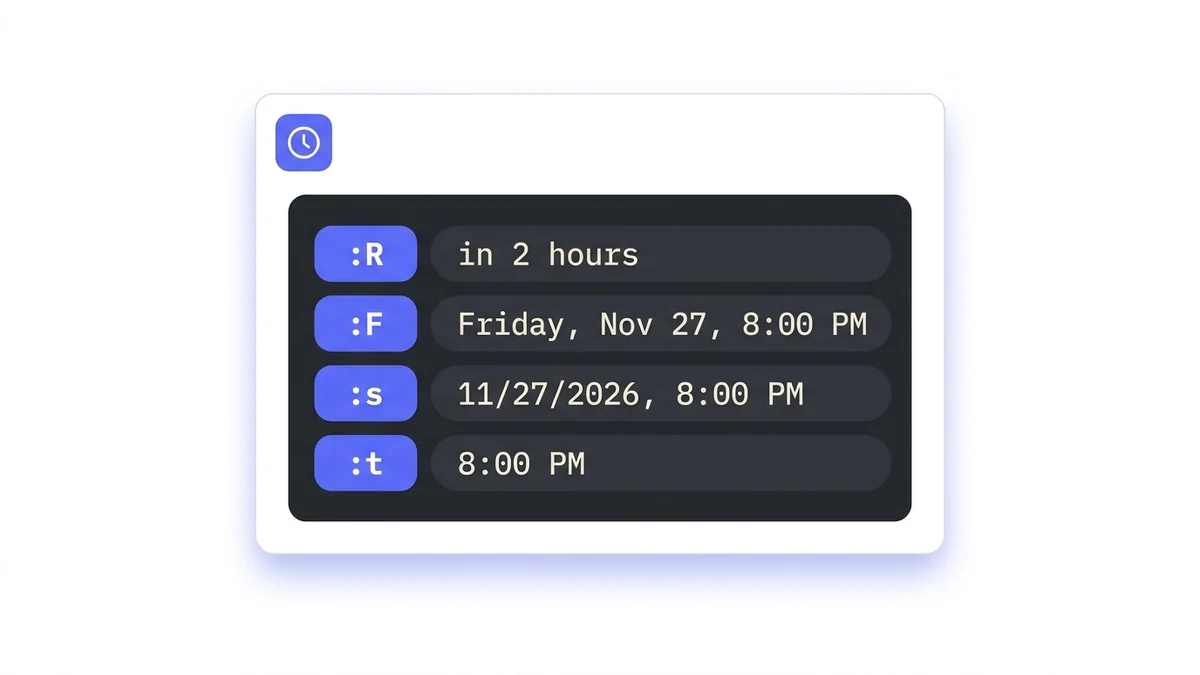
What Is a Discord Countdown?
A Discord countdown is a self-updating live timer created with Discord's native relative timestamp syntax (<t:UNIX_SECONDS:R>). Once pasted into a channel, announcement, forum post, bot embed, or About Me bio, Discord continuously recalculates the remaining window on every member's device, displaying phrases like in 4 days, in 3 hours, in 18 minutes, and live ticking in 42 seconds with zero bots installed.
Unlike old screenshot timers or static "starts in 2 hours!" messages that immediately go stale ten minutes after you post them, a native Discord countdown stays accurate down to the second for every reader across every time zone. Better yet, the moment the deadline arrives, Discord flips the chip automatically into elapsed time (5 minutes ago, 2 hours ago), making late giveaway entries or missed deadlines obvious at a glance.
How to Make a Discord Countdown in 4 Steps
You can launch a live Discord countdown either from an exact calendar deadline or from a relative duration such as "2 hours 30 minutes from now".
1. Enter a Remaining Duration or Exact Target Date
For quick timers, use the built-in Set Countdown Duration From Now bar (Days / Hours / Minutes) and click Apply, or type plain English phrases like in 45m, in 3 hours, or tomorrow 8pm EST in the smart input bar. For scheduled launches, choose the exact calendar date, clock hour, and geographical IANA time zone.
2. Verify the Live Ticking Banner
Check the live DD:HH:MM:SS countdown banner positioned right above the input card. Seeing the real seconds tick down lets you catch AM/PM swaps or accidental past-date typos before pasting your Discord countdown into a busy server.
3. Pick Pure :R or the Combo Tag
Click Copy <t:...:R> inside the banner for a clean inline timer, or click the top COMBO row <t:UNIX:F> (<t:UNIX:R>). Pairing :F with :R gives mobile readers both their exact localized start minute and the urgency of a live Discord countdown side by side.
4. Paste Straight Into Discord Without Backticks
Paste the code into any text channel, announcement feed, embed description, or About Me profile bio. Never wrap <t:UNIX:R> in backticks (`), which tells Discord to display literal code instead of rendering a live timer.
Discord Countdown Generator Features
This Discord countdown builder solves the small daily frustrations that make generic timestamp pages slow to use for timers.
Dedicated Days, Hours, and Minutes Duration Builder
Most timestamp sites force you to look at your watch and manually add "2 hours 45 minutes" to the current time. Our relative duration bar lets you punch in 0d 2h 45m, click Apply, and copy a ready-to-paste Discord countdown instantly.
Live Second-by-Second Countdown Banner
Instead of showing only a static "in 3 hours" label, the top banner counts down in exact DDd HHh MMm SSs format every second so you can verify precise launch windows before announcing.
One-Click Combo Announcement Format
Because Discord rounds :R to the nearest day once an event is more than 36 hours away, our highlighted COMBO button copies <t:UNIX:F> (<t:UNIX:R>) in one click so members never confuse "in 2 days" with the wrong evening.
DST-Safe Multi-Zone Scheduling
Setting a launch countdown for a date three weeks from now across a Daylight Saving Time weekend stays exact because every date resolves through real 400+ IANA time zones instead of static UTC offsets.
Full Compatibility With Multi-Stage Event Schedules
Running a tournament with four staggered timers (Check-in, Round 1, Semifinals, Finals)? Switch to the Event Schedule Builder tab to attach live Discord countdown tags beside every single stage in one message.
How Discord Automatically Scales Countdown Units
Discord clients recalculate <t:UNIX:R> continuously using fixed display thresholds:
| Remaining Window | Unit Shown by Discord | Live Example |
|---|---|---|
| Over 12 months | Years | in 2 years |
| 1 to 11 months | Months | in 5 months |
| 36 hours to 29 days | Days (rounded) | in 4 days |
| 1 to 35 hours | Hours | in 6 hours |
| 1 to 59 minutes | Minutes | in 24 minutes |
| 1 to 59 seconds | Live ticking seconds | in 38 seconds |
| Past zero | Elapsed past time | 12 minutes ago |
Native Discord Countdown (:R) vs. Countdown Bots
Many server owners search for a "Discord countdown bot" when native <t:UNIX:R> tags already solve their task faster and more safely:
| Requirement | Native <t:UNIX:R> Countdown |
Third-Party Countdown Bot |
|---|---|---|
| Live ticking timer inside messages and embeds | Yes (zero permissions) | Yes (requires bot invite) |
| Works in About Me bios and DMs | Yes | No |
| Zero downtime or bot offline outages | Yes (rendered by Discord) | Depends on bot host |
Auto-ping @everyone at zero |
No (manual or Discord Events) | Yes |
| Dynamic countdown inside a voice channel name | No | Yes (rate-limited by Discord API) |
Discord Countdown Use Cases
Discord Countdown for Game Launches, Patch Drops, and Raids
Gaming servers drop a Discord countdown (<t:UNIX:F> (<t:UNIX:R>)) in #announcements so players across NA, EU, and APAC know the exact second servers unlock or raid invites go out.
Discord Countdown for Giveaways and Contest Cutoffs
Moderators pin <t:UNIX:R> inside giveaway channels so entrants see exact remaining hours, and late visitors automatically read "closed 45 minutes ago" once the entry window expires.
Discord Countdown for Streams, Premieres, and Subathons
Streamers and VTubers link a live Discord countdown inside #going-live announcements so fans know whether a premiere starts in 20 minutes or tomorrow evening without converting time zones.
Discord Countdown for Server Maintenance and Bot Downtime
Developers post maintenance start and expected recovery timers using our Discord Embed Timestamp builder so members watch the remaining downtime tick down cleanly inside status embeds.
Discord Countdown for Birthdays, Exams, and Personal Milestones
Users pin <t:UNIX:R> directly inside their Discord About Me profile bio to track birthdays, holidays, or graduation days. Grab pre-formatted bio snippets on our Discord Birthday Countdown page.
Who Uses a Discord Countdown Timer?
Discord Server Moderators and Giveaway Hosts
Moderators use bot-free Discord countdown tags to run clean giveaways, voting polls, and event check-ins without granting extra channel permissions to external bots.
Esports Captains and Tournament Organizers
Bracket admins combine :R timers with multi-line schedules so teams see exact check-in lockouts and round start deadlines across multiple continents.
Streamers, Creators, and Community Managers
Content creators keep hype high before premieres, merch drops, and watch parties using self-updating countdown tags across announcement channels and embeds.
Developers and DevOps Communities
Bot authors and SaaS support teams generate <t:UNIX:R> countdowns programmatically in JavaScript and Python using our Discord Epoch Code Snippets.
Why Choose Our Discord Countdown Generator?
Standard timestamp sites treat countdowns as an afterthought, hiding :R at the bottom of a long list and giving you no way to type "in 2 hours 30 minutes" directly. Our Discord countdown page puts the duration builder, live DD:HH:MM:SS banner, and one-click Copy <t:...:R> button right at the top of the screen with zero ads and zero server lag.
Troubleshooting Common Discord Countdown Errors
- Lowercase
:rnever renders: Always use uppercase:R(<t:1795579200:R>). Lowercase:rprints plain text. - 13-digit milliseconds break the timer: Divide JavaScript millisecond timestamps by
1000so the tag uses 10 digits. - Code blocks disable live ticking: Remove single or triple backticks around your Discord countdown tag.
- Rounded day wording confuses members: Whenever a countdown is more than 36 hours out, copy the COMBO tag
<t:UNIX:F> (<t:UNIX:R>)so exact local time sits right beside"in 2 days". If an existing tag refuses to render, paste it straight into our Fix Discord Timestamp Not Working tool.
