What Is a Discord Event Schedule Builder?
A Discord event schedule builder is a multi-line announcement generator that converts an entire multi-stage agenda (such as Check-in, Lobby Lock, Group Rounds, Semifinals, and Finals) from one source timezone into copy-ready Discord Markdown packed with dynamic <t:UNIX:FORMAT> timestamps. Instead of bouncing between a single-date converter and a notepad six times in a row, you enter your whole itinerary once, preview how it renders in Discord dark mode, and copy a spotless Discord event schedule in one click.
When members open that message, every single line translates simultaneously into their own local clock and calendar weekday. Better still, because relative :R tags update continuously on every client, a single pinned Discord event schedule doubles as a live event progress board while the tournament, stream marathon, or hackathon is underway.
How to Build a Multi-Line Discord Event Schedule in 4 Steps
Plan an entire tournament weekend, guild raid lineup, or creator stream week in under thirty seconds.
1. Name Your Event and Lock One Anchor Time Zone
Enter your announcement title (for example, Weekend Community Tournament or Patch 4.2 Launch Night) and pick one geographical Schedule Time Zone from 400+ DST-safe IANA zones (America/New_York, Europe/Berlin, Asia/Tokyo, etc.). Anchoring one source zone guarantees every line stays synchronized even across multi-day weekend schedules.
2. Choose One of Four Line Format Styles
Use the Line Format Style selector to tailor density for desktop and mobile channels:
- Full Date + Countdown (
:F+:R): Best for international multi-day tournaments where weekday rollovers matter. - Compact Date + Countdown (
:s+:R): Uses Discord's newer numeric:sflag (11/25/2026 8:00 PM) so narrow phone screens stay tidy without wrapping across three lines. - Same-Day Time Only + Countdown (
:t+:R): Cleanest format for a single-evening itinerary under one headline date. - Full Date Only (
:F): Best for formal archival itineraries or printed community calendars without ticking countdowns.
3. Add Up to 10 Stages Across One or Multiple Days
Edit each milestone label, calendar date, and clock hour directly inside the row list. Click + Add Line to expand up to 10 consecutive stages, or click the remove button on any row you no longer need.
4. Inspect the Live Preview and Copy Full Markdown
Verify line order, spacing, and live relative timers inside the dark-mode Server Announcement preview card, then click Copy Full Event Schedule and paste straight into Discord.
Discord Event Schedule Builder Features
Generic timestamp sites only calculate one slot at a time, leaving moderators to assemble lists manually. This Discord event schedule studio handles the full announcement workflow end to end.
Up to 10 Synchronized Multi-Day Milestones
Mix Friday evening check-ins, Saturday qualifiers, and Sunday grand finals inside one shared workspace without recalculating individual Unix integers or worrying about copy-paste slip-ups.
Four Built-In Output Styles Including Newer :s Compact Mode
Switch every line across your Discord event schedule simultaneously between :F + :R, :s + :R, :t + :R, and :F alone with one dropdown change.
Automatic DST Protection Across Weekend Transitions
If a two-day event runs from Saturday night into Daylight Saving Sunday morning, each row evaluates its exact IANA offset independently so Sunday brackets never drift by one hour.
Live Dark-Mode Announcement Preview
Read your complete Discord event schedule inside an accurate Discord message bubble before posting, making it easy to verify bullet formatting and character rhythm.
Seamless Pairing With Scheduled Events, Embeds, and ANSI Banners
Paste your finished schedule into a regular channel, a cross-posted Announcement channel, a Discord Scheduled Event description box, or an Embed Timestamp JSON card.
Example Multi-Stage Discord Event Schedule Output
Here is the exact copy-ready Markdown produced by the Discord event schedule builder in Full Date + Countdown mode:
**Weekend Community Tournament**
• **Check-in Opens:** <t:1795575600:F> (<t:1795575600:R>)
• **Group Stage Kickoff:** <t:1795579200:F> (<t:1795579200:R>)
• **Semifinals Bracket:** <t:1795586400:F> (<t:1795586400:R>)
• **Grand Finals & Awards:** <t:1795593600:F> (<t:1795593600:R>)
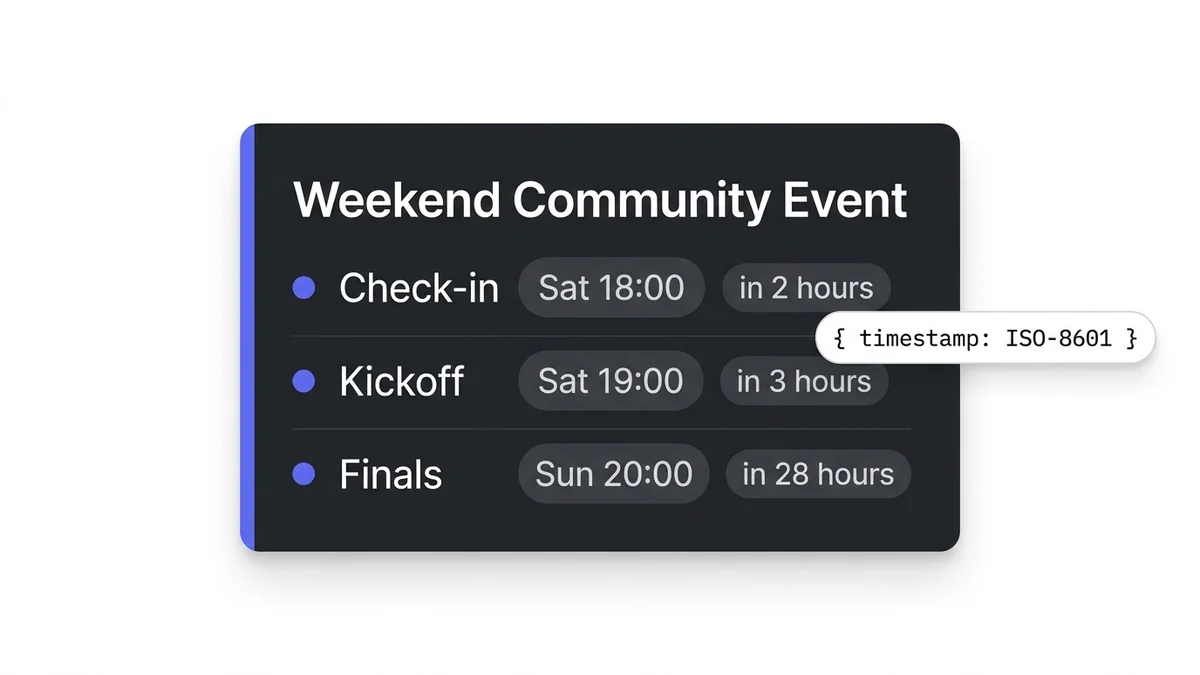
Once posted, a player in New York sees Eastern Time, a player in London sees GMT/BST, a viewer in Sydney sees the exact next-morning AEDT weekday, and anyone checking mid-event sees which rounds already started (30 minutes ago) and how soon Grand Finals go live (in 2 hours).
Discord Event Schedule Use Cases
Esports Brackets and Gaming Tournaments
Tournament organizers map registration close, lobby check-in, map vetoes, and grand finals inside one pinned multi-line itinerary so teams across NA and EU never forfeit due to timezone confusion.
Weekly Streamer and VTuber Lineups
Creators publish Monday through Sunday stream itineraries in #schedule using the Compact :s + :R style so international fans always know which broadcast goes live next.
MMO Guild Raids and Boss Resets
Raid officers post assembly time, first pull, break window, and hard-stop cutoff together so guild members across US East, US West, and Europe plan evenings accurately.
Community Hackathons, AMAs, and Game Jams
Event hosts lay out theme reveal, team formation, mid-jam check-ins, submission deadline, and judging streams inside a Discord Scheduled Event description box.
Server Maintenance and Deployment Windows
Infrastructure and bot teams list maintenance start, database migration phase, and expected recovery time in #status so community members watch progress in real time.
Who Uses a Discord Event Schedule Generator?
Tournament Organizers and Esports Admins
Bracket coordinators managing 16 to 256 international teams rely on a fast Discord event schedule builder to cut check-in support DMs down to zero.
Community Managers and Server Moderators
Staff running movie nights, charity streams, seasonal contests, and town halls keep #announcements crisp, uniform, and mobile-friendly.
Streamers, Podcasters, and Creator Teams
Content creators update weekly schedules in 30 seconds instead of paying for static graphic banners that only list one regional timezone.
Guild Leaders and Study Group Hosts
Weekly raid leaders, tabletop RPG game masters, and study-server coordinators schedule recurring multi-part sessions cleanly across every time zone.
Why Choose Our Discord Event Schedule Builder?
Older generators force you to generate one <t:...> tag, paste it into Discord, go back to the website, change the hour, copy again, and repeat six times. Our Discord event schedule builder turns a 5-minute chore into one clean, error-free pass with four format styles, live preview, 400+ IANA zones, and zero ads.
Best Practices for High-Turnout Discord Event Schedules
- Cross-post from Announcement Channels: Partner servers following your announcement channel automatically inherit dynamic timezone translation on every line of your Discord event schedule.
- Add a subtext reassurance line: Put
-# Times automatically convert to your local timezone.using Discord's-#subtext syntax (try our Discord Text Formatting builder) so first-time readers do not wonder if the clock is EST or local. - Avoid
:talone on multi-day events: If an event spans midnight UTC, use:F + :Ror:s + :Rso members in Asia and Oceania immediately see the calendar day rollover. - Double-check individual edge hours: Need to see how your kickoff lands across six world hubs? Verify it on our Discord Time Zone Converter.
