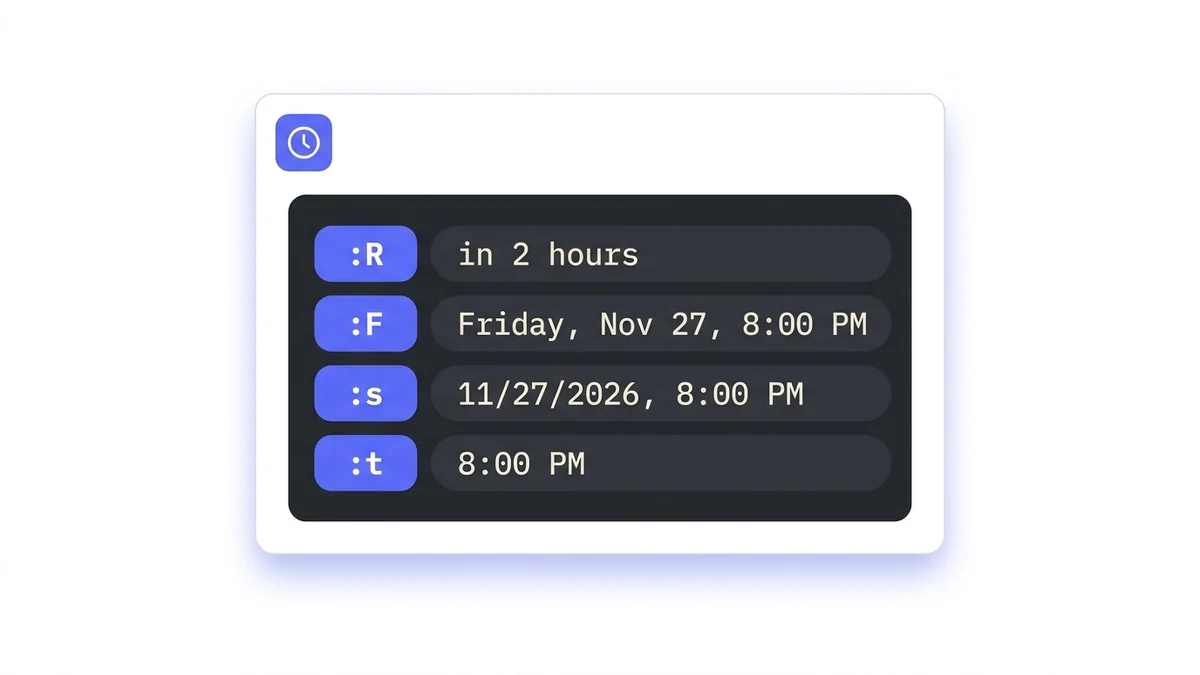
What Is a Discord Relative Timestamp?
A Discord relative timestamp is a dynamic Markdown code (<t:UNIX_SECONDS:R>) that tells every server member how far away a moment is from right now instead of making them compare a clock against their wall time. Whether the target instant sits in the future (in 25 minutes, in 4 days) or in the past (12 minutes ago, 6 months ago), Discord recalculates the phrasing automatically on every desktop, web, iOS, and Android client.
While many users discover :R only as a countdown timer, a Discord relative timestamp is genuinely bidirectional. Future tags power bot-free launch countdowns, raid lockouts, and giveaway deadlines; past tags power self-updating changelog notices (Rules updated <t:UNIX:R>), incident postmortems (Outage resolved <t:UNIX:R>), and server anniversary milestones (Community founded <t:UNIX:R>).
How to Make a Discord Relative Timestamp in 4 Steps
Generate either a future countdown or a past elapsed-time Discord relative timestamp in seconds.
1. Choose Future (In) or Past (Ago) Direction
Look at the highlighted Set Countdown Duration From Now panel right above the presets. Leave the direction on In (Future) for upcoming deadlines, or flip it to Ago (Past) when documenting how long ago an update, incident, or milestone happened.
2. Enter a Duration, Natural Phrase, or Exact Calendar Date
Type Days, Hours, and Minutes and click Apply, or type plain shortcuts straight into the quick bar:
in 15mor+15mfor a short intermission timerin 2 hoursfor a quick lobby assembly tag3 days agoor-72hfor a past changelog or moderation timestamptomorrow 8pm ESTfor a cross-timezone relative tag resolved with DST-safe IANA rules
3. Verify Both the Relative Chip and Exact Tooltip Equivalent
Check the dark Discord message preview and the 6-city strip to confirm you did not swap AM/PM or pick the wrong day. Because :R rounds to whole hours or days once further out, verifying the underlying exact date prevents awkward misreads.
4. Copy <t:UNIX:R> or the Combo Announcement Format
Click the :R row to copy a compact Discord relative timestamp, or click the top COMBO row to copy <t:UNIX:F> (<t:UNIX:R>). Paste the tag directly into Discord chat, a forum thread, an embed description, or your About Me bio.
Discord Relative Timestamp Generator Features
This Discord relative timestamp workspace is tailored specifically for fast relative-delta creation in both directions.
Bidirectional Future (In) and Past (Ago) Duration Builder
Switch between In (Future) and Ago (Past) with dedicated Day, Hour, and Minute boxes so you never have to subtract hours from your current clock manually.
Natural-Language Relative Input Parsing
Type human phrases such as in 45m, in 3h, 2 days ago, -4h, or next fri 9pm CET into the quick bar and watch <t:UNIX:R> compute immediately.
Live Second-by-Second Countdown and Elapsed Banner
When the target timestamp is approaching or recently passed, the live banner ticks every second so you can verify exact remaining or elapsed windows before pasting.
Instant Combo Tag Pairing (:F + :R)
Desktop Discord users can hover over a Discord relative timestamp to reveal the exact underlying date, while mobile users cannot hover easily. One click on COMBO copies <t:UNIX:F> (<t:UNIX:R>) so mobile and desktop readers get both clarity and live urgency.
Instant Reverse Decoding From Any Pasted :R Tag
Need to check the exact UTC date hidden inside a relative tag someone else posted? Drop the <t:...:R> code into the smart bar (or open our Bulk Message Decoder) to unpack every date across six global cities.
Relative (:R) vs. Absolute (:F / :f / :s): When to Use Each
Choosing the right format depends on how far away your event sits and whether your audience reads Discord mostly on phones:
| Scenario | Recommended Tag | Example Rendered Output | Why It Works |
|---|---|---|---|
| Happening within 2 hours | <t:UNIX:R> alone |
in 45 minutes |
Immediate urgency with zero extra visual clutter |
| Scheduled 2+ days ahead | <t:UNIX:F> (<t:UNIX:R>) |
Friday, Nov 27, 2026 8:00 PM (in 2 days) |
Prevents mobile users from misreading rounded "in 2 days" |
| Rule edit or pinned changelog | Updated <t:UNIX:R> |
Updated 3 weeks ago |
Shows policy freshness automatically without re-editing |
| Compact tournament bracket | <t:UNIX:s> (<t:UNIX:R>) |
11/27/2026 8:00 PM (in 2 days) |
Fits tight mobile screens cleanly |
Discord Relative Timestamp Use Cases
Discord Relative Timestamp for Pinned Rules, FAQs, and Changelogs
Server owners end #rules or #patch-notes posts with Last updated <t:UNIX:R> so members instantly see whether instructions were revised 2 hours ago or 8 months ago.
Discord Relative Timestamp for Live Raid and Scrim Windows
Gaming leaders drop Lobby opens <t:UNIX:R> in voice-chat text channels so teammates know whether they have 12 minutes to grab food or 45 seconds to ready up.
Discord Relative Timestamp for Incident Status and Outage Postmortems
Bot developers and SaaS teams place <t:UNIX:R> inside Discord Embed Timestamps to show Service restored 18 minutes ago or Maintenance ends in 40 minutes.
Discord Relative Timestamp for Server Founding and Account Age Badges
Decode any Server ID or User ID with our Snowflake ID Decoder and paste <t:UNIX:R> in #welcome to show a living "Community running since ... (4 years ago)" stat.
Discord Relative Timestamp for Giveaways and Voting Deadlines
Moderators post <t:UNIX:R> inside poll threads so participants see live remaining minutes, and late voters automatically see "closed 3 hours ago" once voting locks.
Who Uses a Discord Relative Timestamp Generator?
Server Moderators and Knowledge-Base Maintainers
Staff maintaining #rules, #announcements, and #support-faq rely on past and future Discord relative timestamp codes so pinned information stays evergreen.
Community Event Hosts and Gaming Captains
Organizers use short-range relative timers (in 15m, in 1h) for quick lobby check-ins and pair them with :F for major weekly events.
Bot Developers and Status Page Maintainers
Engineers generate <t:UNIX:R> programmatically inside cooldown replies (Try again in 14 seconds) and webhook status cards using our JS and Python Epoch Code Snippets.
Everyday Discord Members
Friends coordinating quick watch parties, study breaks, or multiplayer queues type in 20m and paste a single self-updating tag instead of repeating "starting in 20 mins".
Why Choose Our Discord Relative Timestamp Tool?
Most timestamp calculators only accept calendar dates and force you to convert "in 90 minutes" or "3 days ago" in your head. Our Discord relative timestamp generator supports both In (Future) and Ago (Past) duration inputs, parses natural phrases like -4h and in 2h, pairs :R with :F in one click, and runs 100% locally without ads.
Common Pitfalls With Discord Relative Timestamps
- Using lowercase
:r: Discord only accepts uppercase:R. Lowercase<t:1795579200:r>stays plain unformatted text. - Passing 13-digit milliseconds: JavaScript
Date.now()must be divided by1000(Math.floor(Date.now() / 1000)) or Discord fails to parse the tag. Use our Unix Converter to clean millisecond epochs automatically. - Relying on
:Ralone for multi-day mobile events: Because mobile Discord lacks hover tooltips, always include:For:fbeside:Rwhen an event is more than 24 hours away. - One member seeing a shifted timer: Relative chips compare the Unix integer against each viewer's local OS clock. If one user reports an offset error, send them our Fix Discord Timestamp Not Working clock-sync steps.
