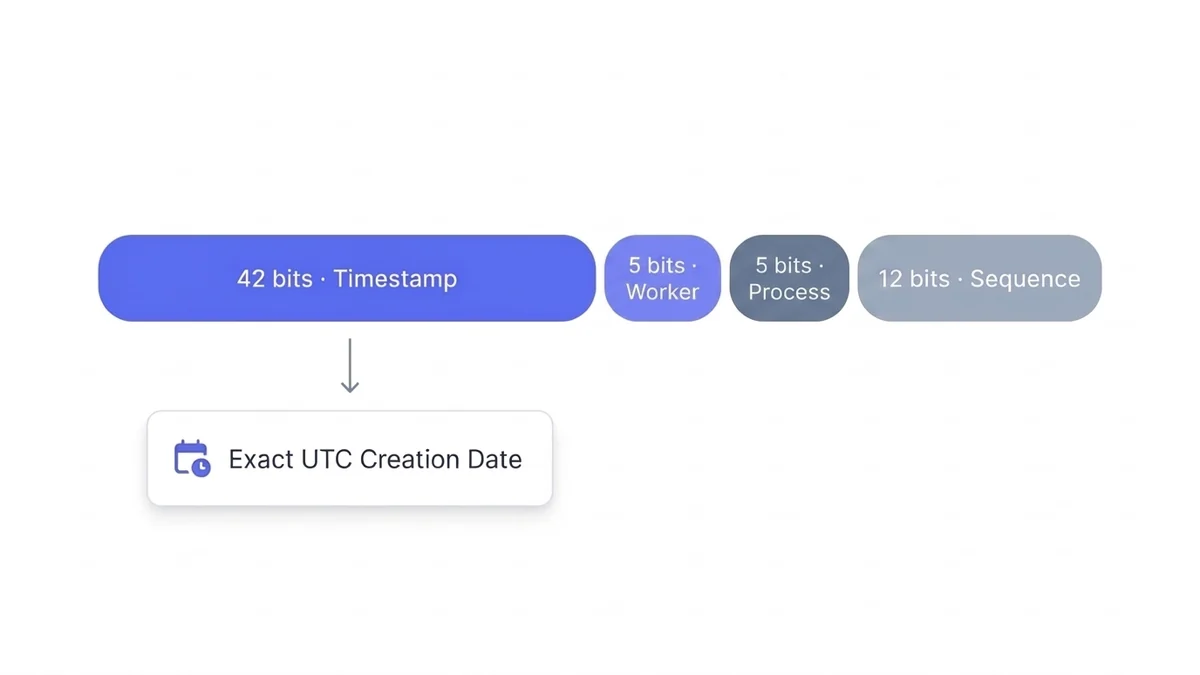
What Is Causing Your Discord Timestamp Not Working Error?
When a Discord timestamp not working error hits a server announcement, giveaway post, or bot reply, Discord either prints ugly raw syntax like <t:1795579200000:r> or displays an impossible year like +58865 or a clock off by one hour. The good news is that Discord's parser follows strict, predictable rules: almost every Discord timestamp not working report traces back to one of seven syntax bugs, an unsupported Discord surface, or a local Daylight Saving / OS clock mismatch.
Rather than hunting for tiny typos by eye, paste your exact message into the 7-in-1 Interactive Fixer above. It inspects every tag locally in your browser, flags every syntax defect it finds, and gives you a clean one-click repaired message ready to repost.
How to Fix a Discord Timestamp Not Working in 4 Steps
Repair broken announcements, bot outputs, and mobile pastes in under ten seconds.
1. Paste the Broken Discord Message Into the Fixer Box
Copy the raw unformatted text straight from Discord (even if it contains several broken tags mixed into a long paragraph) and paste it into the input box above.
2. Inspect the Highlighted 7-in-1 Repair Diagnosis
The yellow repair card lists every exact bug repaired on your text: stripped backticks, 13-digit milliseconds divided to 10-digit seconds, lowercase :r promoted to :R, internal colon spaces removed, missing < or > restored, full-width CJK brackets normalized, and unrecognized flags corrected to :f.
3. Copy the Fixed Message and Verify Local Rendering
Click Copy Fixed Message, then review the decoded UTC and local times listed beneath the repair card to confirm your event lands on the intended date and hour.
4. Check Unsupported Discord Fields and Device Clock Sync
If your syntax is 100% valid yet still appears plain, verify you did not paste it into an embed title, embed footer text, channel name, or Custom Status. If one user reports an offset error while everyone else sees the right time, have them run the OS clock sync steps below.
Features of Our 7-in-1 Discord Timestamp Fixer
Built from hundreds of real Reddit and Discord support threads, this Discord timestamp not working debugger repairs every common failure automatically.
Automatic 13-Digit Millisecond to 10-Digit Second Repair
Detects 13-digit JavaScript Date.now() timestamps (<t:1795579200000:F>), divides by 1000, and converts them into valid 10-digit seconds so Discord stops rendering year +58865.
Backtick and Code-Wrapper Stripping
Removes accidental inline backticks (`<t:1795579200:F>`) copied from tutorials or Markdown docs that prevent Discord from rendering live chips.
Case-Sensitivity and Invalid Flag Correction
Promotes invalid lowercase :r to uppercase :R and catches unsupported letters like :z or :X before you hit Send.
Mobile Keyboard Space, Missing Bracket, and Full-Width Bracket Repair
Cleans stray spaces inserted by phone keyboards (<t: 1795579200 : F>), adds missing angle brackets around bare t:1795579200:t, and converts full-width brackets (<t:...>) and full-width colons (:) to strict ASCII characters.
Multi-Tag Bulk Message Repair
Repairs every broken timestamp across a 10-line tournament schedule or moderation post in one single pass while preserving all surrounding text.
All 7 Causes of "Discord Timestamp Not Working" (and Exact Fixes)
| # | What You See in Discord | Exact Root Cause | How to Fix It |
|---|---|---|---|
| 1 | Raw text in gray code box | Wrapped in backticks `<t:...>` or code fence |
Remove all surrounding backticks |
| 2 | Raw text or year +58865 |
Passed 13-digit milliseconds instead of 10-digit seconds | Divide by 1000 (Math.floor(ms / 1000)) or use /unix-converter |
| 3 | Countdown stays plain text | Typed lowercase :r or invalid letter |
Switch to uppercase :R (see All 9 Formats) |
| 4 | Spaces or missing < > |
Phone keyboard added <t: 1795579200: F> or dropped > |
Strip spaces and wrap cleanly: <t:1795579200:F> |
| 5 | Float decimal breaks tag | Bot passed 1795579200.52 from Python time.time() |
Cast strictly to integer (int(time.time())) |
| 6 | Plain text in Embed Title/Footer | Discord blocks <t:...> in titles, footer text, channel names, and Custom Status |
Move <t:...> to embed.description and use ISO 8601 in embed.timestamp (/embed-timestamp) |
| 7 | Wrong time by 1 hour or wrong day | Non-DST generator offset or viewer's OS clock out of sync | Regenerate with DST-safe IANA zones (/timezone-converter) and sync OS clock |
Real-World Troubleshooting Use Cases
Fixing Discord Timestamp Not Working in Bots and Webhooks
Developers pasting output from Discord.js, Discord.py, Zapier, or Make catch millisecond integers, decimal floats, and malformed embed JSON in seconds (check tested helpers on our JS and Python Code Snippets page).
Fixing Discord Timestamp Not Working in Mobile Announcements
Admins posting from iPhone or Android repair autocorrected spaces and clipped brackets instantly (see our Mobile Discord Timestamp Guide).
Fixing Discord Timestamp Not Working in About Me Bios
Users whose bio tag turned into raw text after saving check for 190-character truncation that sliced off the closing > bracket, then rebuild cleanly in our Bio Timezone Card meter.
Fixing One-Hour DST Shifts in International Servers
Event hosts whose future announcements landed one hour early after March or November clock changes re-encode with real geographical IANA time zones instead of static UTC-5 math.
Who Uses This Discord Timestamp Fixer?
Server Moderators and Announcement Editors
Staff rescue broken @everyone announcements cleanly before members flood #general asking why raw <t:...> code appeared in chat.
Bot Developers and Webhook Builders
Engineers verify whether an error comes from millisecond math, float serialization, or placing tags inside an unsupported embed title/footer field.
Mobile Discord Users
Phone users who typed tags by hand or copied snippets from web guides clean hidden formatting artifacts in one tap.
Why Choose Our Interactive Discord Timestamp Fixer?
Reading a generic troubleshooting blog forces you to eyeball 10-digit vs. 13-digit numbers and hunt for invisible full-width colons manually. Our Discord timestamp not working page puts an instant 7-in-1 live repair engine right at the top of the screen so you fix the message first and understand why it broke in the same glance.
How to Fix Device Clock Skew (When Only One Person Sees the Wrong Time)
Because Discord renders every <t:...> chip against the reader's local device clock, an out-of-sync PC or phone clock makes countdowns read "in 57 minutes" instead of "in 1 hour" or shifts dates by an hour:
- Windows 11 and 10: Open Settings -> Time & language -> Date & time, turn on Set time automatically and Set time zone automatically, click Sync now, then reload Discord with
Ctrl + R. - macOS: Open System Settings -> General -> Date & Time, enable Set time and date automatically and Set time zone automatically using your current location, then restart Discord.
- iOS and Android: Turn on Set Automatically under Date & Time settings and force-close and reopen the Discord mobile app.
