What Is the Best Way to Use Discord Timestamp Mobile?
Creating a Discord timestamp mobile post on iPhone or Android feels much harder than on desktop for three practical reasons: Discord's desktop @time helper does not cover mobile About Me bios or foreign timezones, smartphone keyboards silently break <t:...> syntax with automatic colon spaces and smart punctuation, and mobile Discord has no mouse cursor to hover over relative :R chips.
This Discord timestamp mobile guide walks through the fastest zero-app workflow on iOS and Android, lists the four phone keyboard traps that break tags, and shows how to pin discordtimestamp.im right onto your Home Screen as a lightweight Progressive Web App (PWA).
How to Make a Discord Timestamp on Mobile in 4 Steps
Generate and paste a flawless Discord timestamp mobile tag in under ten seconds with one thumb.
1. Open the Mobile Studio in Safari or Chrome
Visit the Discord Timestamp Generator (or jump directly to Countdown, Bio Timezone Card, or Time Zone Converter). The responsive layout fits cleanly on 390px screens with zero banner ads blocking tap targets.
2. Tap Quick Pills or Type Natural Phrases Instead of Spinning Wheels
Skip slow calendar wheel scrolling by tapping +15m, +1h, +3h, Tonight 8PM, or typing tomorrow 8pm EST or in 45m into the top quick bar. If you need an exact future day, the standard date and time inputs invoke your native iOS or Android picker wheels cleanly.
3. Copy the Combo Tag or Compact :s Format
Tap the top COMBO row (<t:UNIX:F> (<t:UNIX:R>)) or compact :s (<t:UNIX:s>) for tight phone screens. Every button flips immediately to green Copied with a quiet non-blocking toast.
4. Paste Directly Into Discord Mobile and Hit Send
Switch back to Discord, long-press the chat input (or Profile -> Edit Profile -> About Me), tap Paste, and hit Send. Do not panic when you see raw <t:1795579200:F> inside the draft composer; Discord mobile converts it into a highlighted localized chip the moment the message sends.
Features Designed for Discord Timestamp Mobile Users
Zero-Ad Single-Thumb Layout Built for 390px Viewports
Every copy button meets 44px mobile touch ergonomics with zero sticky ad banners causing accidental taps while scrolling.
Non-Blocking Toast Feedback Instead of iOS Alert Popups
Legacy single-page tools freeze Safari with modal alert() popups after every copy. Our Discord timestamp mobile studio uses a lightweight toast so switching apps takes one swipe.
One-Tap Home Screen Install (PWA Support)
Pin discordtimestamp.im straight to your iPhone or Android Home Screen so it launches full-screen without browser address-bar clutter:
- iPhone and iPad (Safari): Tap the bottom Share icon, scroll down to Add to Home Screen, and tap Add.
- Android (Chrome or Edge): Tap the top-right three-dot menu and choose Install App or Add to Home screen.
Built-In 7-in-1 Mobile Syntax Repairer
Already typed a tag by hand on your phone and watched Discord print raw code? Paste it into our Fix Discord Timestamp Not Working page to strip hidden keyboard spaces and broken brackets in one tap.
4 Mobile Keyboard Traps That Break Discord Timestamps
| Phone Keyboard Glitch | Broken Output | Why Discord Rejects It | Easy Prevention |
|---|---|---|---|
| Auto-space after colon (Gboard / iOS) | <t: 1795579200: F> |
Spaces inside <t:...> break token parsing |
Paste straight from our Copy button |
Auto-lowercased :r |
<t:1795579200:r> |
Countdown strictly requires uppercase :R |
Never re-type the flag manually |
| Full-width CJK / smart brackets | <t:1795579200:F> |
Discord requires strict ASCII < and > |
Switch to English keyboard or use Fixer |
| Copied surrounding backticks | `<t:1795579200:F>` |
Backticks intentionally render literal code | Copy from our button, not from tutorials |
Discord Timestamp Mobile Use Cases
Discord Timestamp Mobile for On-the-Go Raid and Scrim Rescheduling
Guild officers stuck away from their PC reschedule tonight's raid in five seconds by typing in 2h on their phone and pasting one Combo tag in #raid-alerts.
Discord Timestamp Mobile for Updating About Me Profile Bios
Users editing profiles from the Discord phone app copy pre-checked Bio Timezone Cards or Birthday Countdowns without guessing Discord's 190-character raw limit.
Discord Timestamp Mobile for Fast Streamer Going-Live Alerts
Creators announce delayed streams or surprise live broadcasts from their phone while confirming 6-city global rollovers on the preview strip.
Discord Timestamp Mobile for Quick Moderator Account Audits
Mods patrolling servers on mobile long-press suspicious joiners, tap Copy ID (with Developer Mode enabled), and check account age locally on our Snowflake ID Decoder.
Who Uses a Discord Timestamp Mobile Setup?
Mobile-First Server Moderators and Admins
Moderators who manage communities primarily from iPhone or Android pin our PWA shortcut to post DST-safe announcements from anywhere.
Console and Mobile Gamers
PlayStation, Xbox, Nintendo Switch, and mobile gamers who run Discord on their phone next to the couch rely on fast thumb-friendly timestamp copying.
Creators and Everyday Discord Members
Streamers and international friends use quick pills (+1h, Tonight 8PM) to coordinate watch parties and calls without opening a laptop.
Why Choose Our Discord Timestamp Mobile Studio Over Other Sites?
Many timestamp websites stack giant desktop tables or ad popups that push copy buttons off-screen on smartphones and lack natural-language shortcuts. Our Discord timestamp mobile studio opens directly into a clean single-column mobile tool, supports PWA Home Screen launch, remembers your last 5 copied timestamps locally, and runs 100% ad-free.
Quick Tips for Reading and Sending Timestamps on Phones
- Always pair
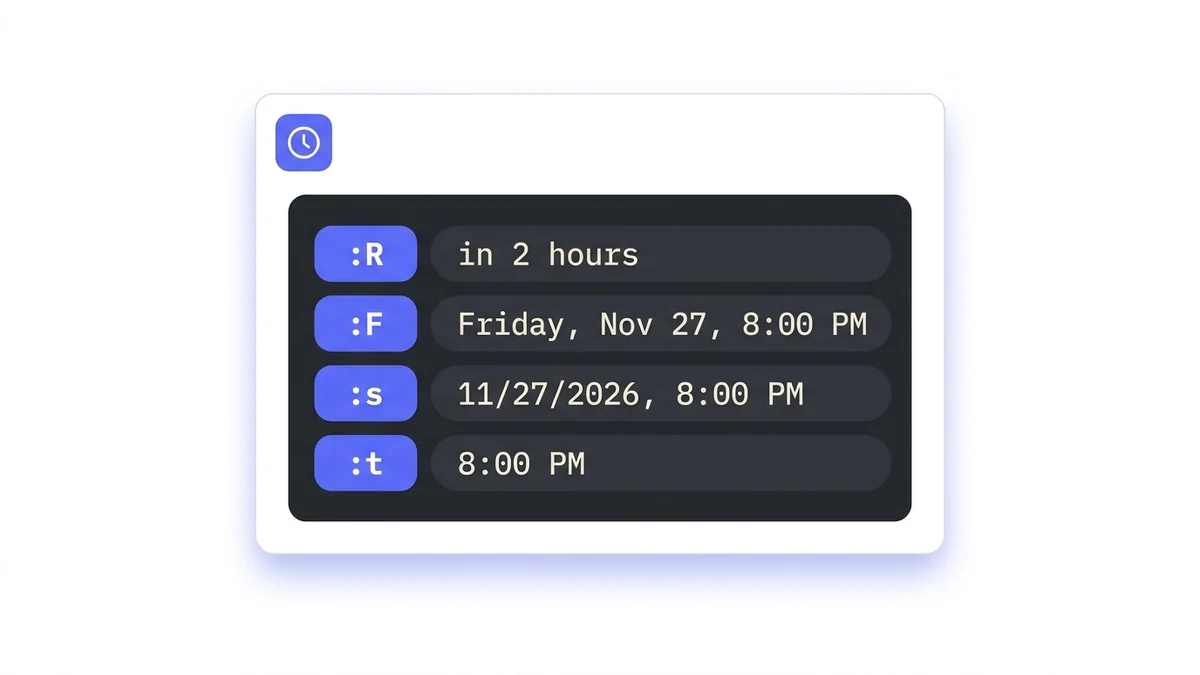
:For:swith:R: Because phones cannot hover over"in 2 days"to see the exact hour, sending<t:UNIX:s> (<t:UNIX:R>)gives mobile readers complete clarity immediately. - Check automatic phone clock sync: If one friend on iPhone or Android sees your tag off by an hour, ask them to toggle Set Automatically in Date & Time settings and restart Discord.
- Explore desktop vs. mobile comparisons: Read our Discord @time vs Web Generator guide to see where web tools outperform native pickers on every device.
