What Is a Discord Unix Timestamp?
A Discord Unix timestamp is the underlying 10-digit integer inside every dynamic <t:UNIX:FORMAT> Discord tag. Unix time (also called POSIX or Epoch time) counts the exact number of non-leap seconds elapsed since January 1, 1970 at 00:00:00 UTC. Because that integer is anchored strictly to UTC with zero regional offset, every Discord client worldwide interprets the exact same number into each user's local timezone and language settings.
This two-way Discord Unix timestamp converter works instantly in both directions: enter a human date in any of 400+ IANA time zones to extract its exact 10-digit Unix integer plus all 9 formatted <t:...> tags, or paste an existing 10-digit or 13-digit epoch to inspect the exact human date across UTC and six major world cities.
How to Convert a Discord Unix Timestamp in 4 Steps
Move cleanly between human dates, raw epochs, and Discord Markdown without opening a terminal.
1. Paste a Raw Epoch or Select a Calendar Date
Type a 10-digit integer (such as 1795579200) directly into the Unix Epoch (Seconds) field, paste a 13-digit JavaScript millisecond value (1795579200000) into the smart quick bar at the top, or pick a calendar date and IANA time zone.
2. Verify Automatic Millisecond and Precision Cleanup
When you paste a 13-digit millisecond integer into the quick bar, the converter strips the trailing three digits automatically via integer division by 1000 so you never ship a broken year +58865 timestamp into production.
3. Inspect UTC Alignment and Multi-City Rendering
Check the live Discord bubble preview and the 6-city world strip (New York, Los Angeles, London, Berlin, Tokyo, Sydney) to verify that the decoded Unix second matches your intended regional hour, including summer or winter DST rules.
4. Copy Any of the 9 Official <t:UNIX:FORMAT> Styles
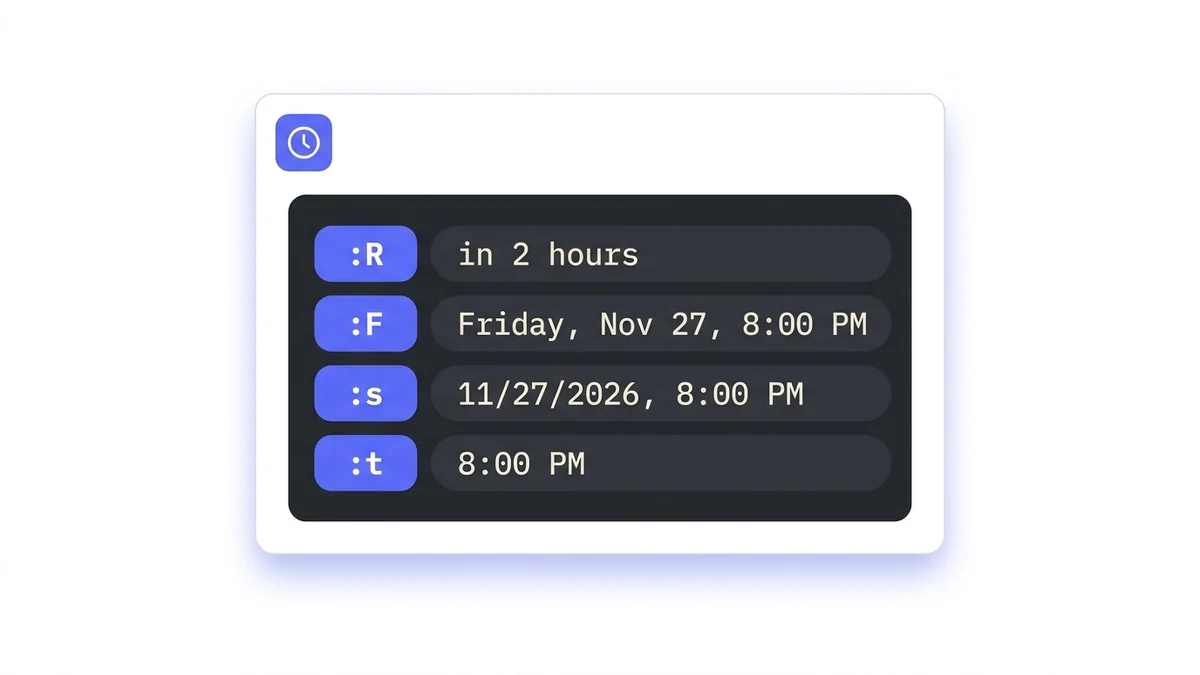
Click any format row (:R, :F, :f, :s, :S, :t, :T, :d, :D) or the top COMBO row to copy the valid Discord Unix timestamp straight to your clipboard.
Discord Unix Timestamp Converter Features
Built with developers, bot maintainers, and server admins in mind, this Discord Unix timestamp converter catches the exact edge cases that break scripts.
Instant Two-Way Synchronization
Editing the date picker, time field, source IANA timezone, or Unix Epoch (Seconds) numeric box updates every other field and all nine <t:...> rows synchronously in real time.
Automatic 13-Digit Millisecond Auto-Repair
Accidentally copied Date.now() from browser DevTools or a JSON API response? Drop the 13-digit integer into the smart quick bar and get clean 10-digit Discord Unix timestamp tags with zero manual division.
Negative Pre-1970 and Post-2038 64-Bit Support
Type negative Unix integers (such as -14159025) to verify pre-1970 birthdays or historical milestones, or enter post-2038 dates (2524608000 for January 1, 2050) knowing modern Discord handles 64-bit timestamps cleanly.
Direct Webhook ISO 8601 Companion Tab
Discord message bodies require Unix seconds (<t:1795579200:F>), whereas Discord embed footers require an ISO 8601 UTC string (2026-11-25T12:00:00.000Z). Switch to the Embed JSON tab (or open /embed-timestamp) to generate both side by side.
Built-In Snowflake and Multi-Tag Decoder
Need to pull Unix seconds out of an 18-digit Discord ID or audit five <t:...> tags in a chat log? Switch to the Snowflake and Fixer tab or open /snowflake and /decoder.
Seconds vs. Milliseconds vs. Snowflakes: Quick Comparison
Mixing up 10-digit seconds, 13-digit milliseconds, floats, and 18-digit Snowflakes is the number-one source of broken bot announcements:
| Format | Example Value | Length | Valid in <t:...>? |
How to Convert for Discord |
|---|---|---|---|---|
| Unix Seconds (Integer) | 1795579200 |
10 digits | Yes | Ready to wrap in <t:1795579200:F> |
| Unix Seconds (Float) | 1795579200.84 |
Decimal | No | Cast to integer (int() / Math.floor()) |
JS Milliseconds (Date.now()) |
1795579200000 |
13 digits | No | Divide by 1000 and floor |
| Discord Snowflake ID | 175928847299117063 |
17-20 digits | No | ((BigInt(id) >> 22n) + 1420070400000n) / 1000n |
| ISO 8601 UTC String | 2026-11-25T12:00:00Z |
Text | Embed timestamp only |
Parse to ms then divide by 1000 |
One-Line Discord Unix Timestamp Formulas by Language
- JavaScript / TypeScript:
Math.floor(Date.now() / 1000) - Python 3:
int(time.time()) - Go:
time.Now().Unix() - PHP:
time() - SQL (PostgreSQL):
EXTRACT(EPOCH FROM NOW())::BIGINT
For full Discord.js v14, Discord.py 2.x, and Go bot helpers, open our Discord Epoch Code Snippets guide.
Discord Unix Timestamp Use Cases
Discord Unix Timestamp for Bot Cooldowns and Command Replies
Bot developers format rate-limit replies like Cooldown active, try again <t:1795579260:R> using exact Unix seconds so users watch their own timer expire live.
Discord Unix Timestamp for CI/CD, GitHub Actions, and Release Alerts
DevOps teams send deployment webhooks showing exact build timestamps across globally distributed engineering channels without hardcoding server-local strings.
Discord Unix Timestamp for Pre-1970 Historical Events and Birthdays
History communities, gaming lore wikis, and user profiles encode negative Unix integers cleanly for dates prior to January 1, 1970.
Discord Unix Timestamp for Database and Audit Log Verification
Moderators and backend engineers paste raw database Unix integers into the converter to confirm human UTC and regional equivalents in one second.
Discord Unix Timestamp for Automated Event Reminders
Scheduling scripts store one UTC Unix integer per event and reuse it across :F, :t, and :R formats without storing timezone strings per member.
Who Uses a Discord Unix Timestamp Converter?
Discord Bot and Webhook Developers
Programmers building Discord.js, Discord.py, or custom webhook scripts use a Discord Unix timestamp converter to test epoch math and debug millisecond bugs quickly.
Automation Builders (Zapier, Make, n8n, GitHub Actions)
No-code and workflow builders verify timestamp transformations before wiring automated Discord notifications into production pipelines.
Server Admins Auditing Pasted Codes
Moderators drop unfamiliar <t:1795579200:f> strings or raw epoch logs into the input bar to check exact event dates before pinning messages.
Technical Writers and Documentation Maintainers
Community wiki authors verify sample epoch outputs across all nine format flags so tutorial screenshots match live Discord output.
Why Choose Our Discord Unix Timestamp Converter?
Generic epoch converters stop at UTC text and make you wrap <t:...:F> by hand, without checking Discord's nine format flags or previewing how the dark Discord chip renders. Our Discord Unix timestamp tool connects raw epoch math directly to Discord chat previews, 400+ DST-safe IANA zones, millisecond auto-repair, and Webhook JSON generation with zero ads.
Tips for Avoiding Discord Unix Timestamp Bugs
- Never pass floating-point seconds: Python
time.time()returns decimals (1795579200.123). Always wrap inint(...)before building<t:...>. - Always divide JavaScript milliseconds by 1000: Passing
Date.now()directly is the most common reason Discord prints broken dates. - Keep
<t:UNIX>valid even without a flag: Omitting:fdefaults to Short Date and Time, though writing explicit:For:Rprevents surprises across tools. - Repair broken logs in bulk: Got a message full of millisecond or space-broken tags? Paste the whole text into our Timestamp Syntax Fixer.
